 Writ
Writ
The only
notescratchpadMarkdown editorjournalto-do list
app you need
Markdown files in a folder you can open, with links, a graph and an MCP server built in.
v0.4.0 · macOS 12+ · Windows 10+ · Linux · 21 MB
Every note is a file
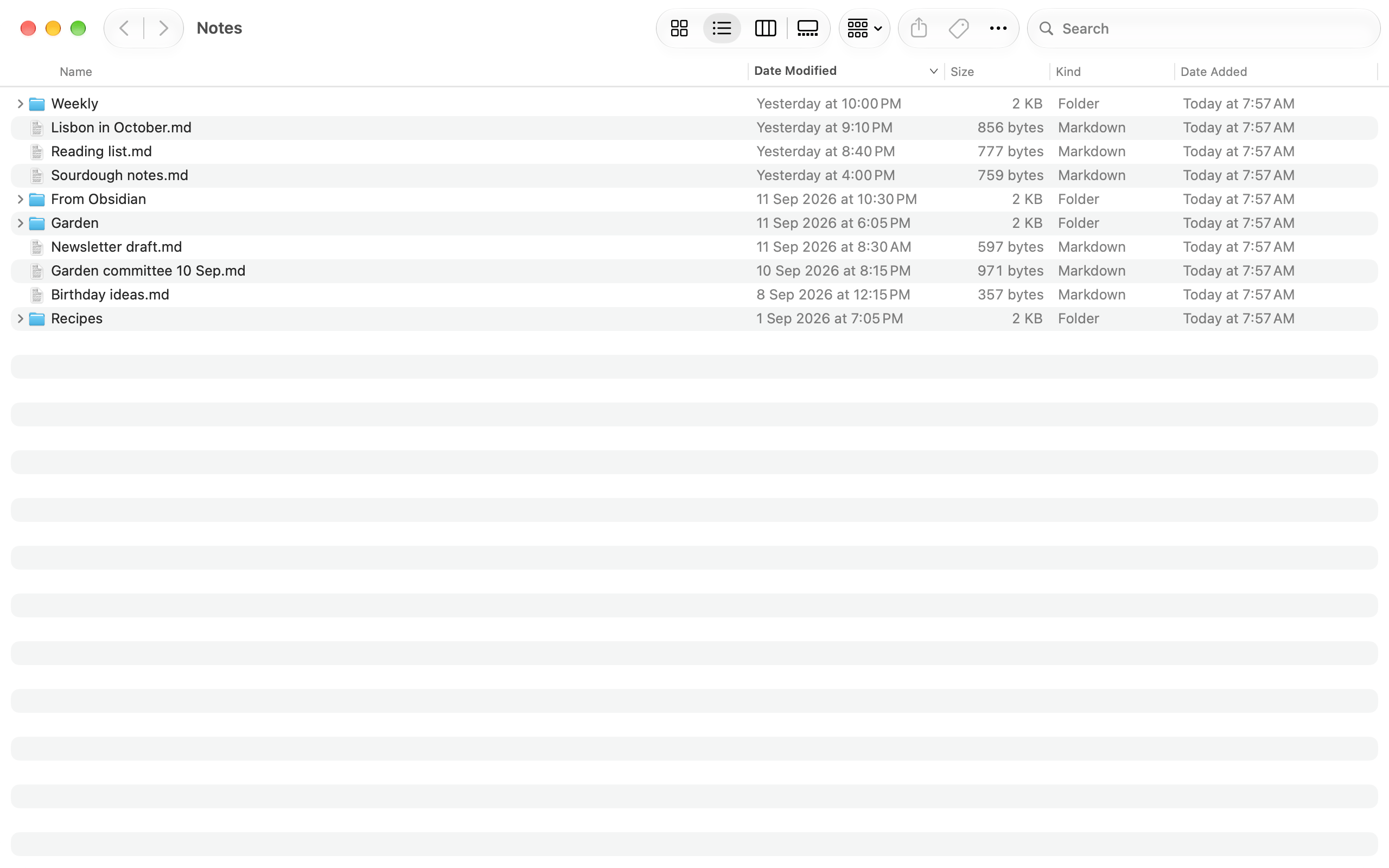
Notes are plain Markdown files in a folder you can open, ~/Writ unless you move it. The folder is the only copy: the database holds an index and window state and can be deleted without losing a note.
Links and Connections
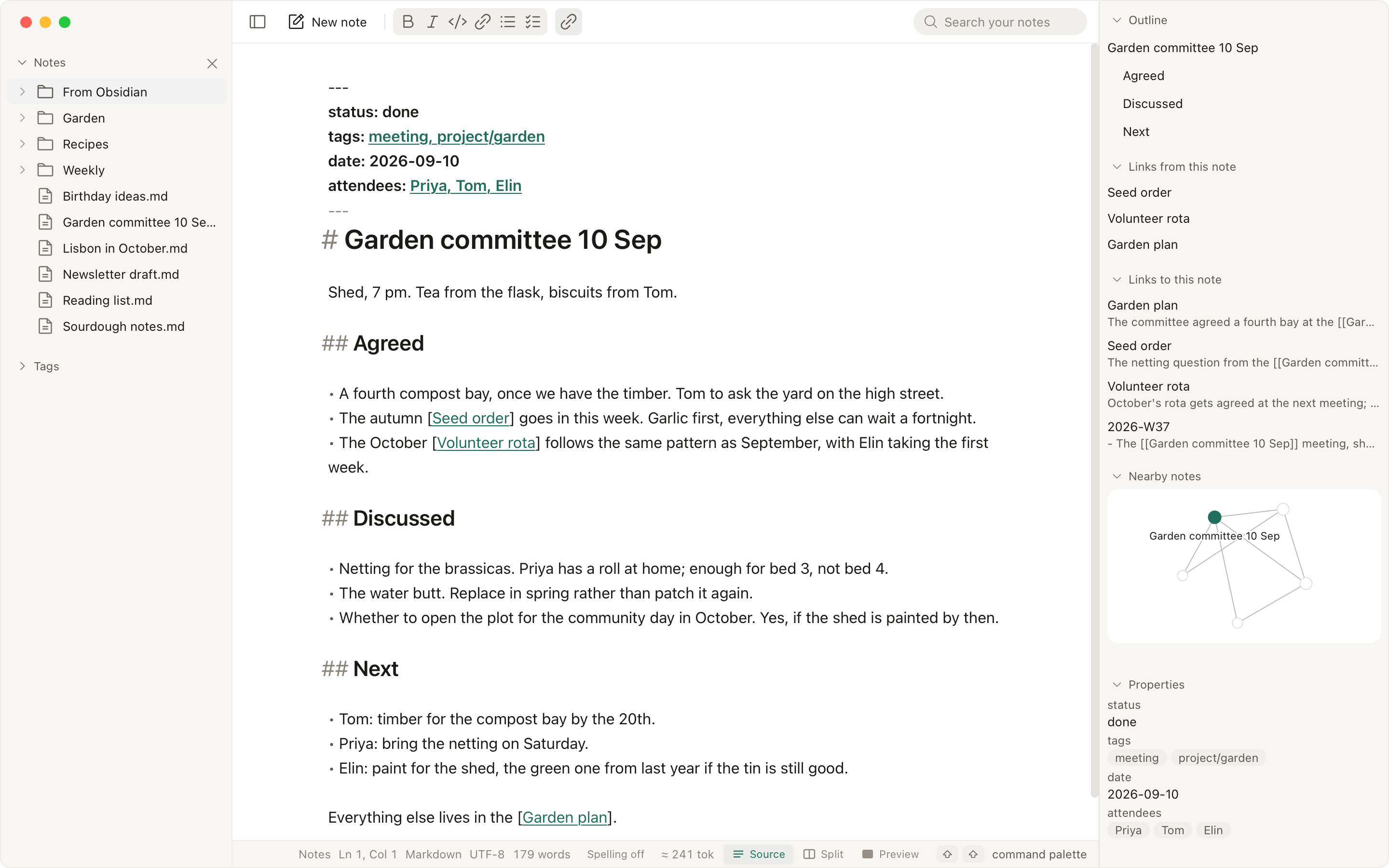
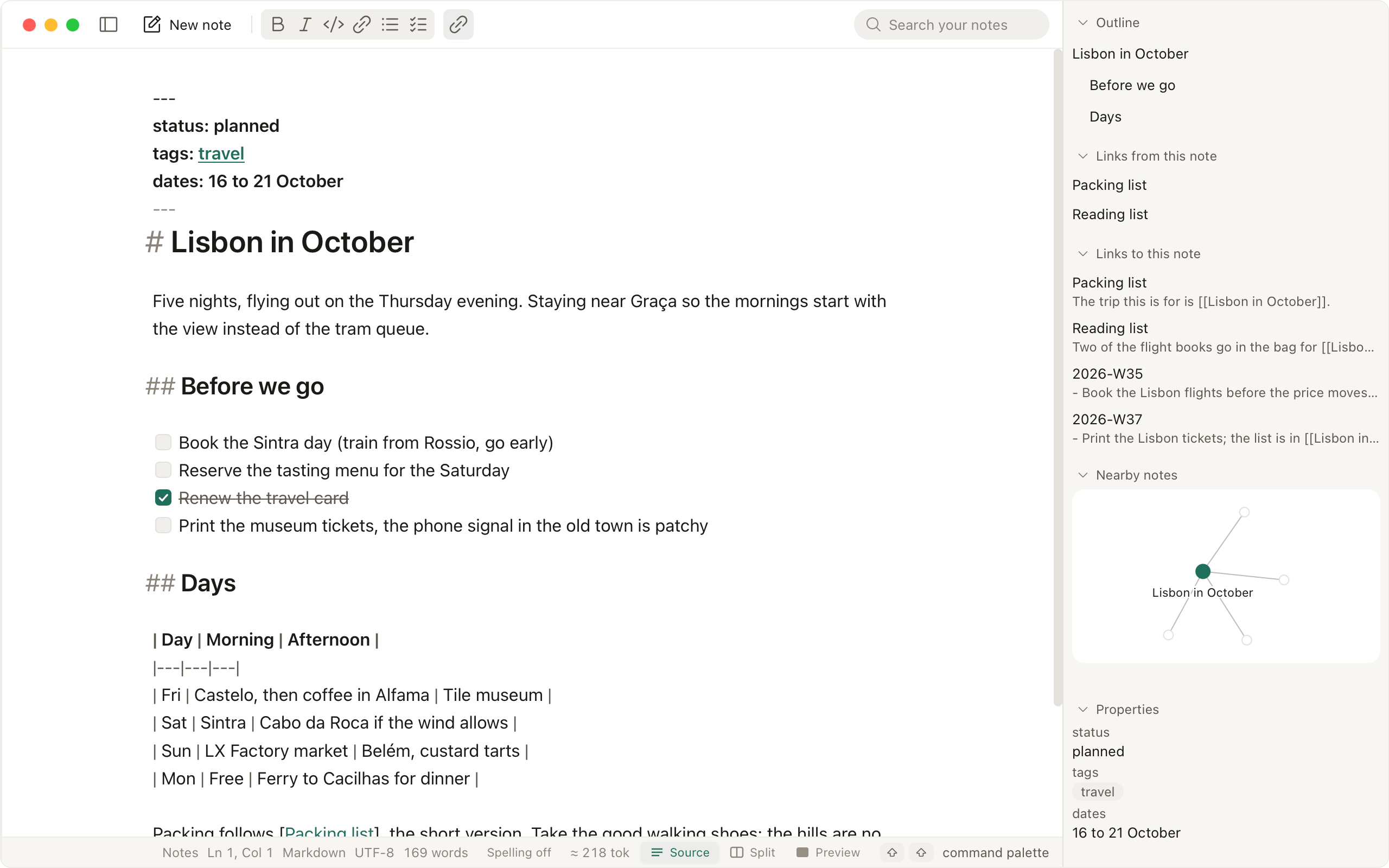
Write [[Name]] to link a note by name. The Connections panel lists the notes that link back, the outline and the properties, and renaming a note offers to rewrite the links that point at it.
Graph
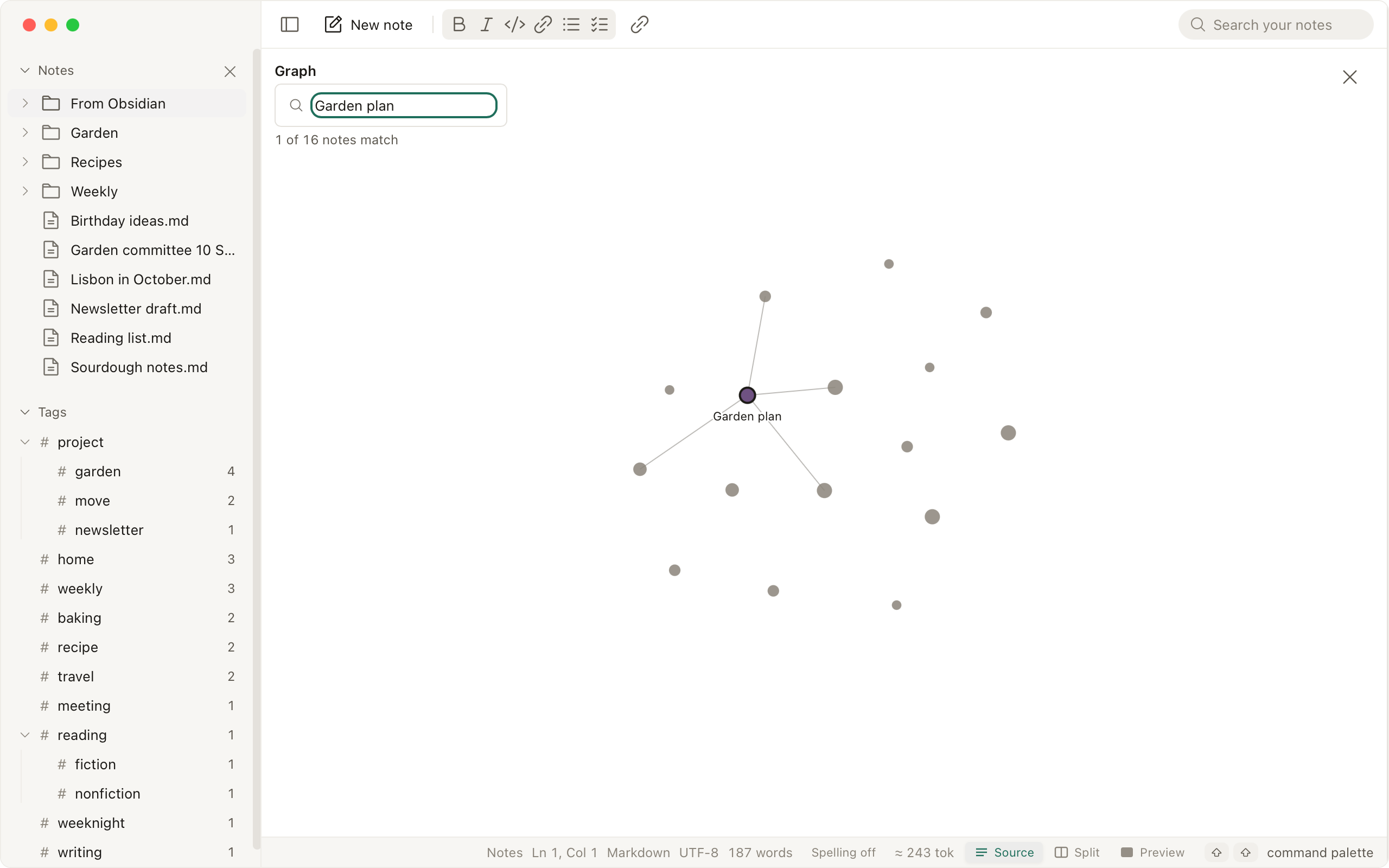
Nearby notes draws the ones linked around the note you have open. Graph view draws the whole folder, and tags sit in the sidebar.
Programs
Writ ships an MCP server, off by default: approve each program by name, reading and writing separately, and every call is listed in the Activity panel without the note's text. The chat pane, also off by default, runs on a local model or your own key, sends only the notes you attach, and shows each edit it proposes as a diff you apply or discard.
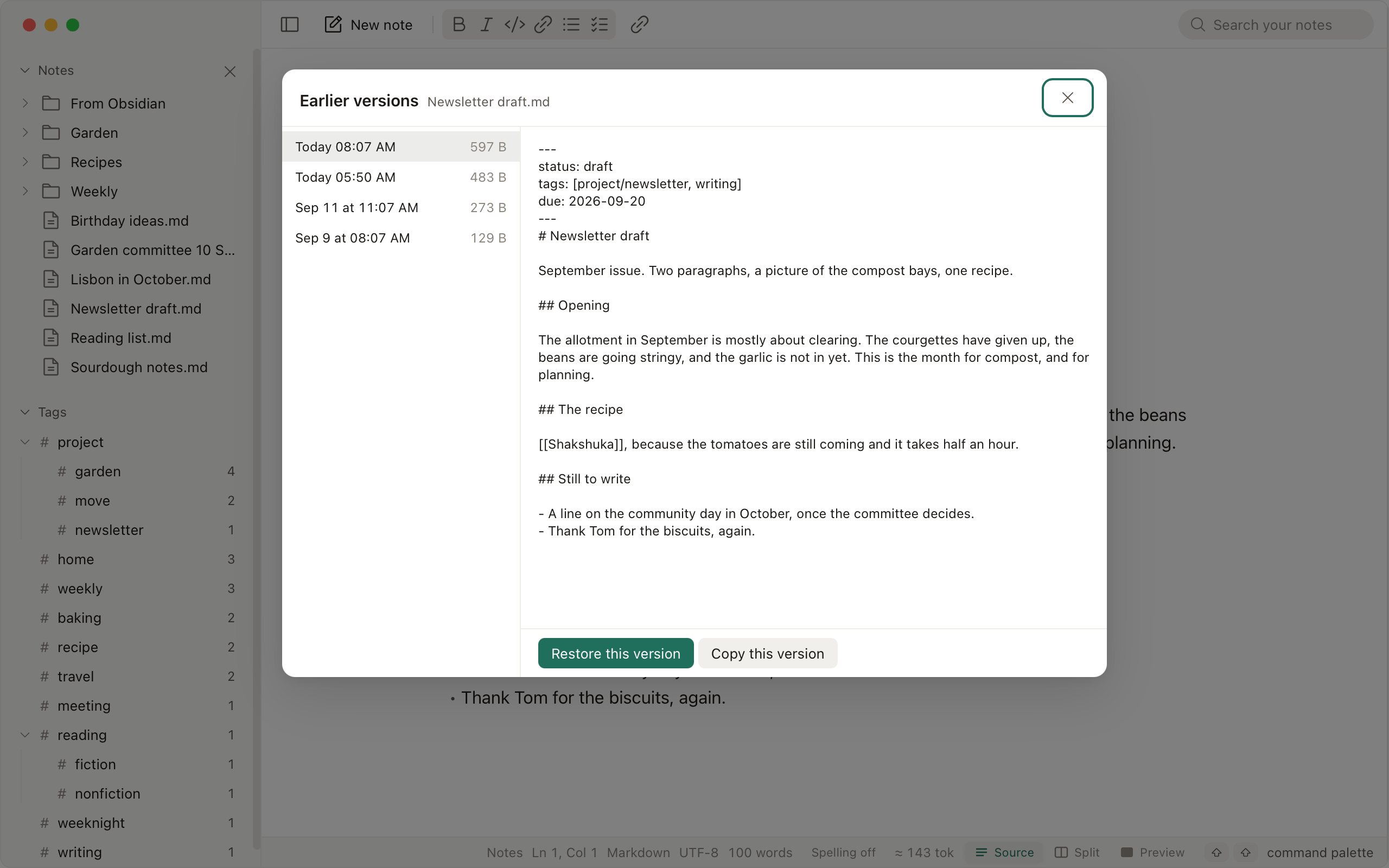
Earlier versions
Writ keeps a version each time a note is saved, for thirty days, in its own data folder and never inside the notes folder. Revert To puts one back.
Download
brew trust ibrahemid/writbrew install --cask ibrahemid/writ/writwinget install -e --id ibrahemid.Writyay -S writ-bin Nothing leaves your machine unless you turn on chat, rewriting or a connected program, and the one request Writ makes on its own, the update check, can be turned off (privacy).