 Writ
Apps
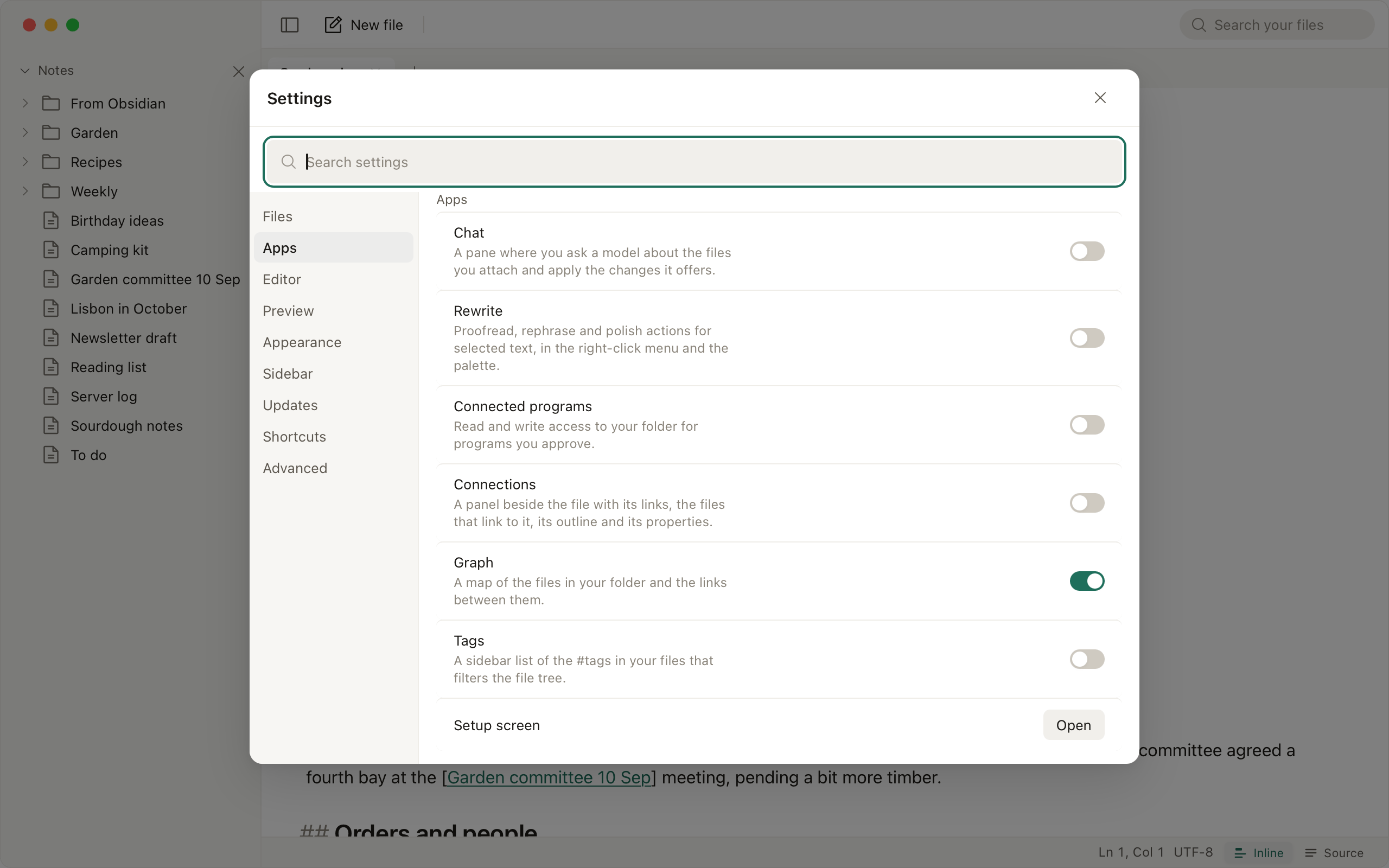
Settings, Apps has one switch per app. An app that is off has no menu item, command or panel, and its shortcut opens its switch in Settings, Apps. Switching an app on or off takes effect without a restart, and turning one off keeps its data for the next time. While Connections or Tags is off, a Markdown file with links or tags offers it once, and a program that calls while Connected programs is off offers that app once; Settings, Apps, Offer apps that are off turns these offers off.
Connections
⌘⇧\ opens a panel beside the file: the files that link to it, each with the sentence the link sits in, its outline and the properties from its frontmatter.
Graph
Open Graph draws the Markdown files in Writ's folder and the links between them, with a search box and a color per top-level folder. Past 2,000 files it draws the largest group of files that link to each other, and a Markdown file over 5 MB is not drawn. With Connections on, the panel also shows the files near the open one.
Tags
A sidebar list of the #tags written in the text or the frontmatter. Choosing one filters the tree of Writ's folder.
Chat
⌘⇧A opens a pane beside the file with that file attached; type @ to attach another. Only attached files are sent. When the model proposes an edit, the pane shows it as a diff, and Apply writes it through the same guarded path as every save, so a file that changed since is not overwritten. Conversations are saved in Writ's data folder, and the pane lists, renames and deletes them.
Rewrite
Select text, right-click, Rewrite: proofread, rephrase, polish, or your own instruction. The result shows as a diff you apply or discard. Only the selection is sent.
Connected programs
An MCP server for a client such as Claude Code or Cursor. The first call from a program waits until you approve it, and reading and writing are approved separately. Program activity lists every call without the file's text. A program that starts the server with WRIT_NOTES_DIR set works in that folder instead of Writ's. The guide walks through the setup.
The AI connection
Chat and Rewrite share one connection, shown under Apps while either is on: a provider, a key and a model. Ollama, LM Studio, llama.cpp and Jan run on your machine and need no key. Anthropic, OpenAI, Google Gemini, OpenRouter, Groq, DeepSeek, Mistral, xAI, Together and Fireworks take your own key, kept in the system keychain on macOS and Windows and in the Secret Service on Linux; OpenRouter can also connect from a button that opens your browser. Any other OpenAI-compatible endpoint works by URL. On macOS 26, on a Mac that can run it, Rewrite can also use Apple's on-device model, listed under Built into macOS, and Writ makes no network request for it. Before anything reaches a host off your machine, Writ asks once, naming the host.