 Writ
Markdown
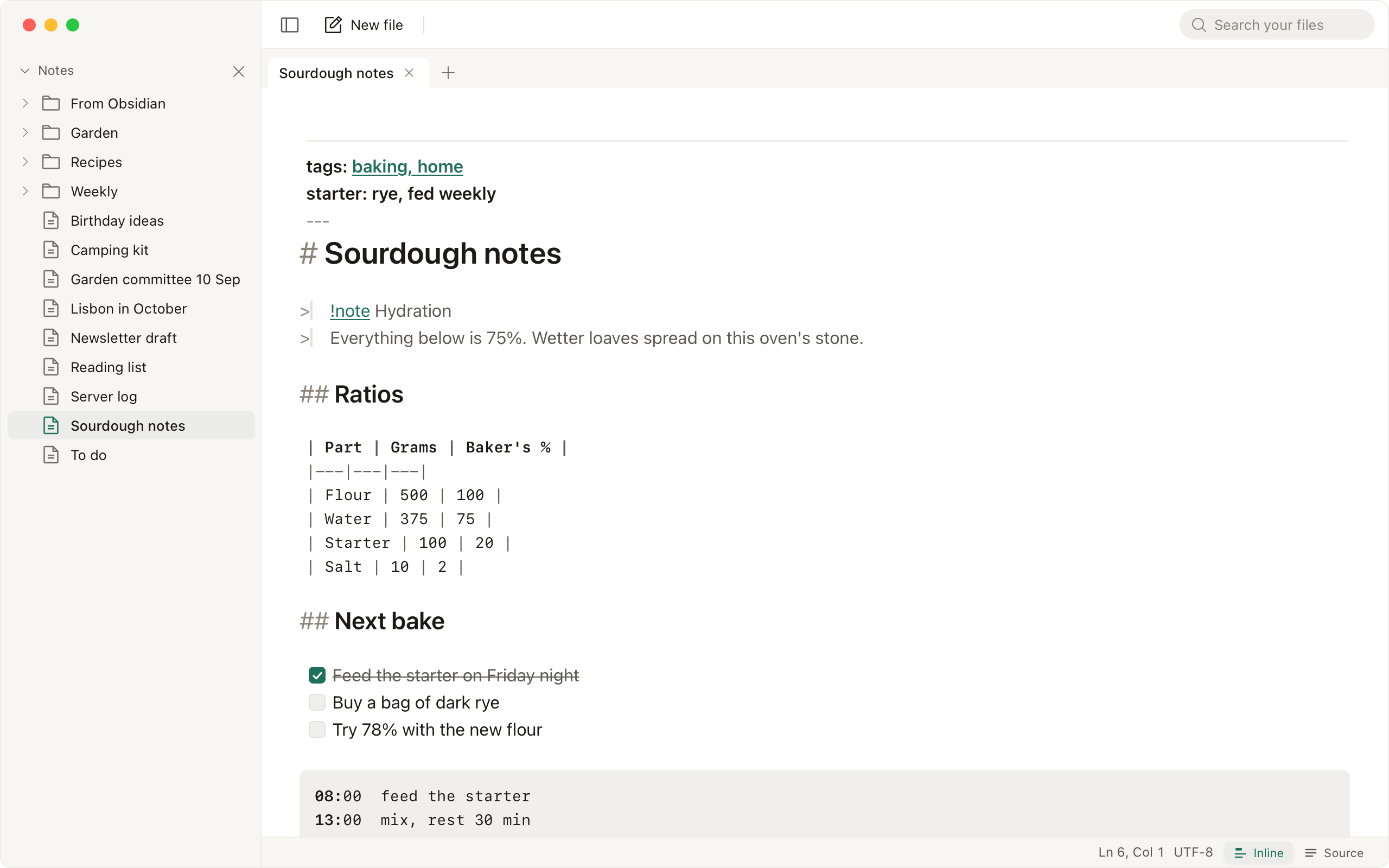
A Markdown file opens in Inline mode: headings, emphasis, lists, checkboxes, links, images and code blocks are formatted where they are written, and the line you are editing shows its markup. Source shows the plain text. The status bar switches between the two, and so does ⌘⇧V; Settings, Editor, Markdown opens in sets which one a Markdown file opens in. Tables, math and Mermaid diagrams are drawn in place, and each shows its source while the cursor is in it. A Markdown file over 5 MB opens in large-file mode, without Inline formatting.
Lists continue on ↩, a checkbox toggles on click, and ⌘B, ⌘I, ⌘K wrap the selection. In a Markdown file, [[File]] opens that file, [[Folder/File]] picks one of two with the same name, and [[File#Heading]] opens it at the heading. Typing [[ offers the files in the folder. Renaming a file offers to update the links that point at it.