 Writ
Search
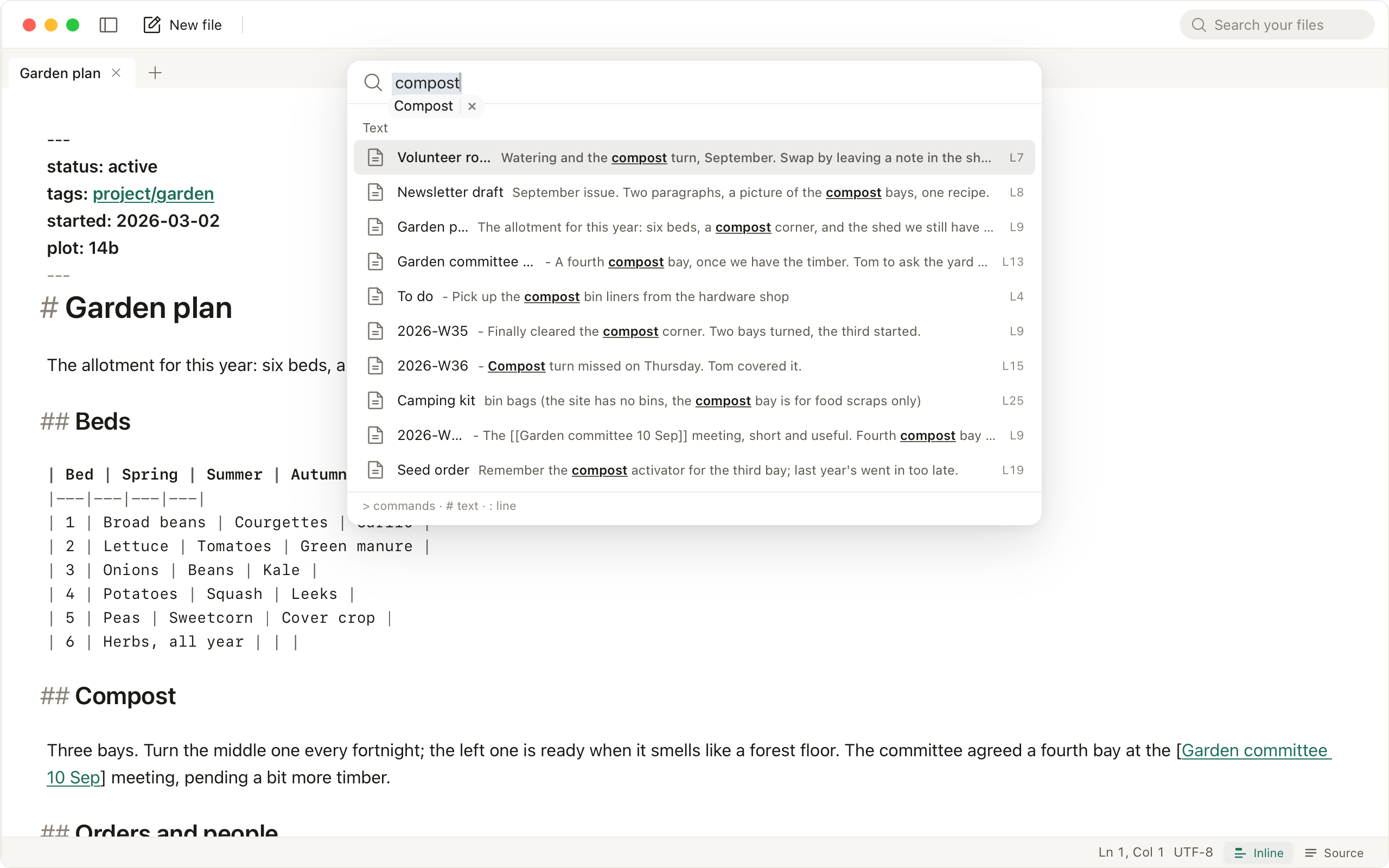
⌘⇧F opens one palette over commands, settings, file names and the text of the files in the folder, plain text and Markdown alike. With a second folder open it adds that folder's file names and contents. Results are grouped by where they came from; ↩ opens the match on its line.
In Writ's folder, search reads text files up to 5 MB and leaves out folders such as .git, .obsidian and .trash. In a folder opened with Open Folder, it searches the names of up to 200,000 files and the text of files up to 2 MB, leaving out what the folder's .gitignore names and folders such as node_modules and build.
>limits the query to commands@limits it to file names: open and recent files, and the files of a folder opened with Open Folder#limits it to file contents:42jumps to line 42 of the current file
⌘F finds within the current file, and ⌘⇧O opens a file by name.
The search field
Typing in Search your files looks through the text of Writ's folder and of a folder opened with Open Folder, and opens the sidebar on the results, each folder's matches under its name. The arrow keys walk them, ↩ opens one at its line, and Esc clears the field and returns to the file.